Free video editor for iPhone and iPad with no watermark
PremierCut is a free video editor for iPhone, iPad and Mac with no account, no ads and no watermark. Editing, effects and exports happen on your device.
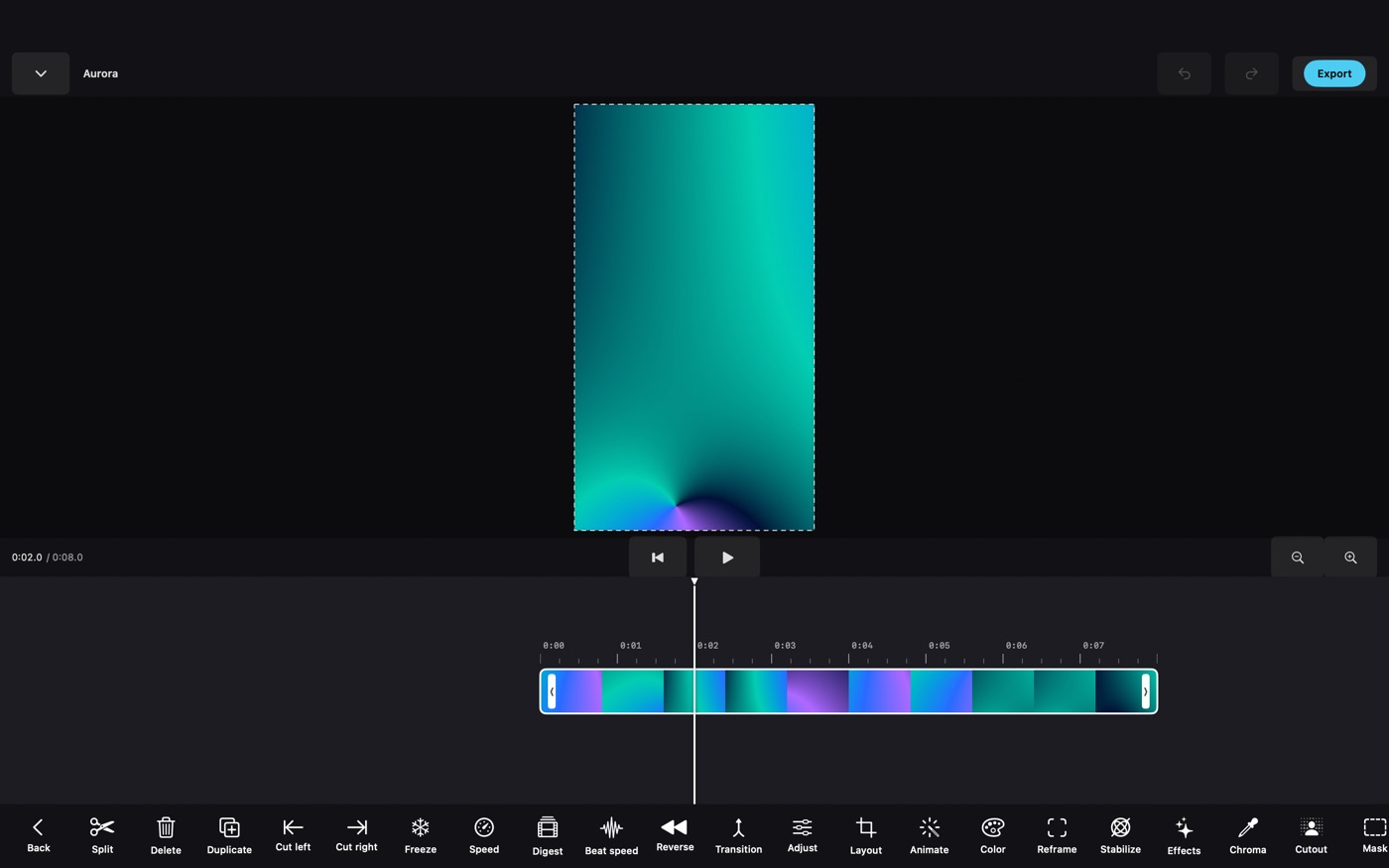
PremierCut is a free video editor for iPhone, iPad and Mac that edits and renders everything on the device. You cut clips and photos on a multi-track timeline, add effects, text, captions and sound, and save the result to Photos, with no account, no ads and no watermark on the export. It's for people who make short videos for social media, family or work, it needs iOS 18, iPadOS 18 or macOS 15 or later, and it's free on the App Store.
I build it on my own. Version 1.0 came out on October 31, 2026. Here's what it does and where it stops.
Is PremierCut really free?
Yes, all of it. The download is free, the App Store lists no in-app purchases and there's no subscription, so nothing is locked and there's no paid tier that removes a watermark. There is no watermark. There are no ads either, and nothing to sign up for.
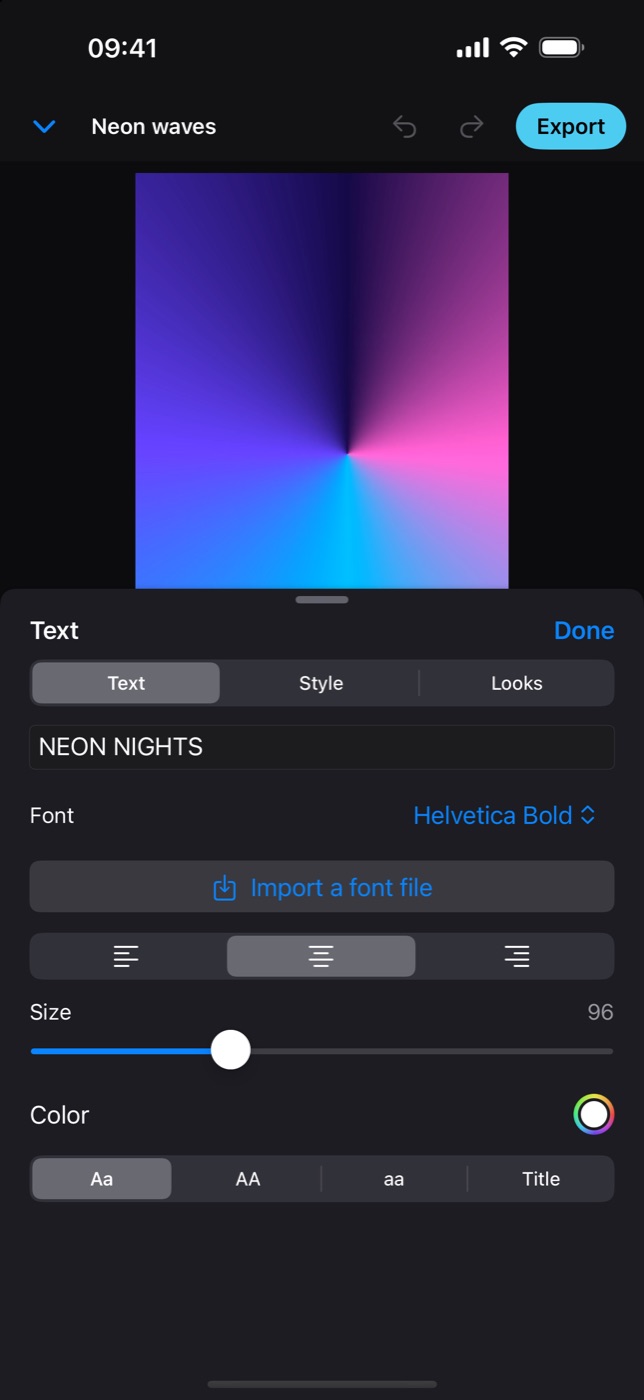
What it doesn't give you is content: no music library, no templates, no stock footage. Clips and photos come from Photos, audio from the Files app, and you can import your own fonts (.ttf or .otf) and colour LUTs (.cube).
How do I edit a video in PremierCut?
- Start a project. Tap + on the project list.
- Add media. Media opens the Photos picker on iPhone and iPad and a file dialog on a Mac. The first clip sets the canvas shape; you can switch it to 9:16, 16:9, 1:1, 4:5 or 4:3.
- Cut. The playhead stays put and the tracks scroll under it, so scrolling scrubs the preview. Tap a clip to split, trim, duplicate, reverse or delete it. Clips snap to their neighbours.
- Dress it. Add Text, Audio, a voiceover with Record, and subtitles with Captions on a clip that has speech. Effects go on the selected clip, transitions on the joint between two clips.
- Export. Tap Export, choose the quality, then Save to Photos or Share.
What is PremierCut good at?
- A real timeline. Several video, overlay, text and audio tracks. Speed runs from 0.25x to 4x, or you draw a speed curve so one shot slows down and speeds up. Position, scale, rotation and opacity take keyframes, and you can pinch, drag and rotate a clip on the preview.
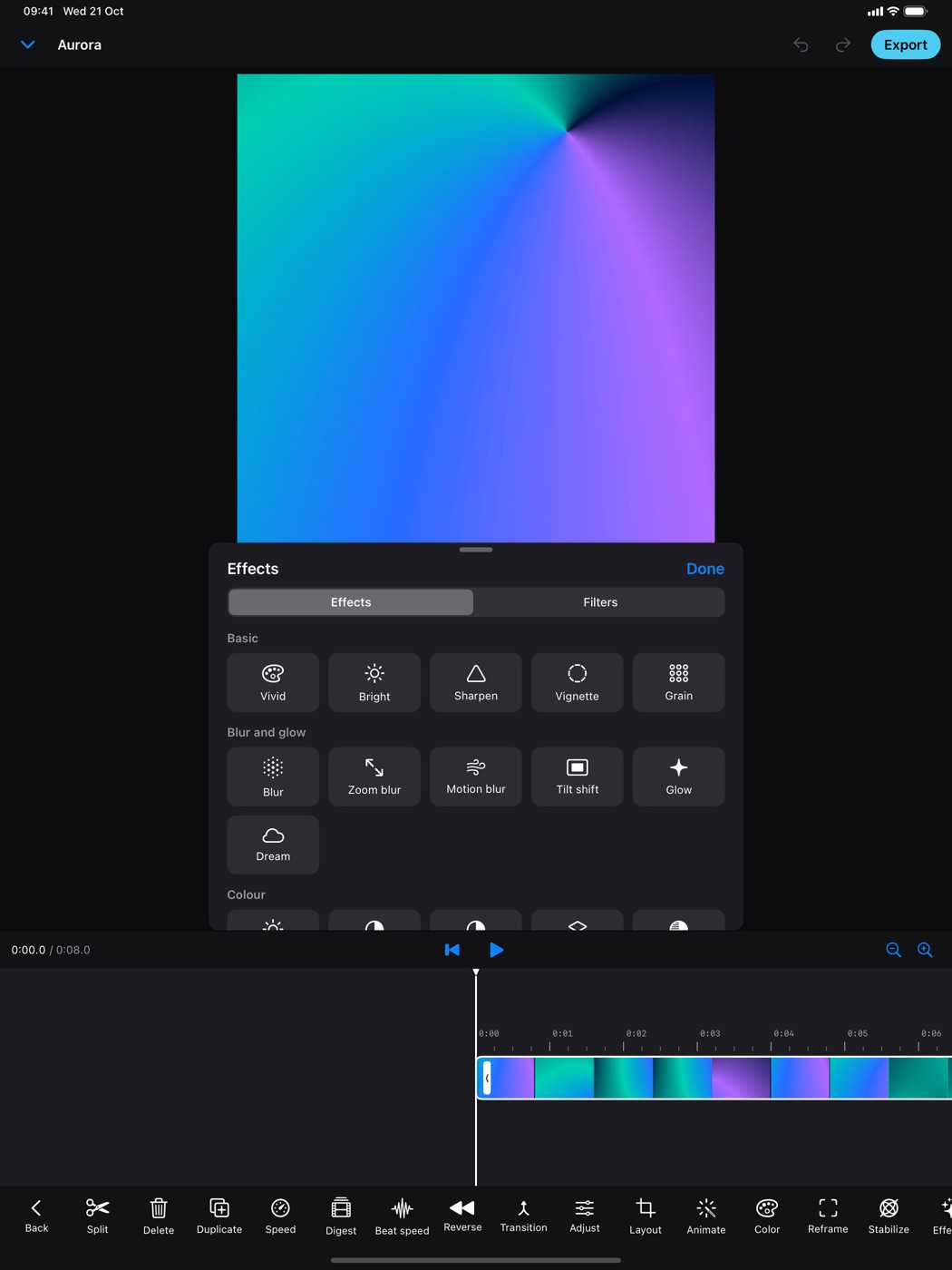
- Effects that follow a person. Body effects use Apple's on-device person detection to put outlines, glows and cut-outs on the person in the shot and keep them there as they move. Background cut-out needs no green screen, and chroma key, shape masks and blend modes cover the rest.
- Plenty to pick from. More than 100 transitions and dozens of effects and colour looks, each with sliders. Extra effect packs install as package files.
- Captions from speech. Subtitles from the speech in a clip, in the language you choose, in one of four looks, at the top, middle or bottom. Each line stays editable.
- Pauses. Finds the silences in a talking clip, previews what would go, then cuts them or plays them at 2x, 4x or 8x. It can also remove "um", "uh" and repeated words.
- Digest. Picks the best moments of a long clip, judged by loudness, speech, faces and sharpness, and builds a short version.
- The tedious parts. Auto reframe follows the main subject when you change the aspect ratio. There's stabilization, speed changes cut to the beat, and proxy files that keep large clips smooth while the export uses the originals.
What quality does PremierCut export, and is there a watermark?
Video exports at 720p, 1080p or 4K (1280, 1920 or 3840 pixels on the long side), at 24, 30 or 60 fps, as HEVC for smaller files or H.264 for compatibility. The default is 1080p HEVC. You can also export only a marked range, just the sound as M4A, or the frame under the playhead as a PNG.
PremierCut puts nothing of its own on the video: no watermark, no logo.
Does PremierCut upload my videos?
No. There's no account, no analytics and no advertising, the App Store privacy label reads "Data Not Collected", and the app makes no network requests of its own. Editing, effects and exports happen on the device.
Projects live inside the app: the project file, copies of the media you imported, and caches. Deleting the app deletes them, so export what you want to keep. A deleted project waits 30 days in Recently deleted. There's no cloud sync; to move a project to another device, Export package packs it with its media into one file, and Open a package opens it there.
Photos access is asked when you choose media or save a result, the microphone only for a voiceover, speech recognition only for captions and filler words. That recognition is Apple's, and depending on the language Apple may process the audio on its servers; PremierCut itself sends nothing. Details are in the privacy policy.
Who it's for, and who it isn't for
It's for you if you cut short videos on a phone or an iPad, want captions on talking clips without typing them, or don't want another account and subscription for it.
It isn't for you if:
- You're on Android or an older system. It needs iOS 18, iPadOS 18 or macOS 15 or later.
- You want music, templates or stock footage built in. There are none.
- You need cloud sync or to edit with someone else. Projects stay on one device unless you move a package yourself.
- You edit in landscape on iPhone. The iPhone app is portrait only. On a Mac it's the same app, with a layout designed for touch first.
- You need a proven tool today. It's a 1.0. Background removal judges each frame separately, so hair and fast hands can flicker at the edges, and it keeps everyone in the shot; you can't pick one person. Digest finds what's loud and visible, not what's funny or important.
- You want the interface in another language. It's English only.
How to get started
- Install PremierCut from the App Store.
- Open it and tap Try a sample project to see the editor without your own footage, or + for a new project.
- Tap Media, allow Photos access, and pick your clips and photos.
- Tap a clip and try Split, Speed or Effects, then add Text.
- Tap Export, pick a resolution, and save the video to Photos.
FAQ
How do I find a free video editor for iPhone without a watermark?
Choose one with no paid tier that removes a watermark, and check a test export before you put work into it. PremierCut is one: it's free on the App Store, has no in-app purchases, and exports up to 4K with no watermark or logo.
Is there a video editor for iPhone with no account and no ads?
Yes. PremierCut needs no sign-up, shows no ads, and its App Store privacy label is "Data Not Collected". Editing, effects and exports happen on the device.
Can I edit videos on iPad for free?
Yes. PremierCut is free on iPad with iPadOS 18 or later, with the same timeline, effects, captions and export as on iPhone. It also runs on Macs with macOS 15 or later.
What resolution does PremierCut export?
720p, 1080p or 4K at 24, 30 or 60 fps, as HEVC or H.264. The video can be saved to Photos or shared, and you can also export just the audio as M4A or one frame as PNG.
Can PremierCut add captions automatically?
Yes. Select a clip with speech and tap Captions: PremierCut writes subtitles with Apple's speech recognition in the language you choose, and each line can be edited as text.
How do I remove silences from a video on iPhone?
Use an editor that detects silence and cuts it for you. In PremierCut, select a clip with sound and tap Pauses: it marks the silences, shows how much shorter the clip gets, and cuts them or speeds them up as one undoable step.
Does PremierCut upload my videos?
No. Projects and media stay inside the app on your device, and PremierCut makes no network requests of its own. The exception is Apple's speech recognition for captions, which may process audio on Apple's servers depending on the language.
More writing
Aquarium water test log apps for iPhone: 8 compared
Eight iPhone apps for logging aquarium water tests compared: freshwater or reef, test strip scanning, species database, account, and what each costs.
Free parking in Madrid, Barcelona and Valencia: 7 apps compared
Most Spanish parking apps help you pay, not park free. Seven apps compared for Madrid, Barcelona and Valencia, and which one maps free street parking.
Pet health record apps for iPhone: 7 compared
Seven iPhone apps for your pet's vaccinations, vet visits and documents compared: which work without your vet joining, store your own scans, and cost.