App blocker you unlock with push-ups: Pull to Refresh
Pull to Refresh is a free iPhone app that locks apps you choose when your allowance runs out. Push-ups, squats or pull-ups counted by the camera buy time back.
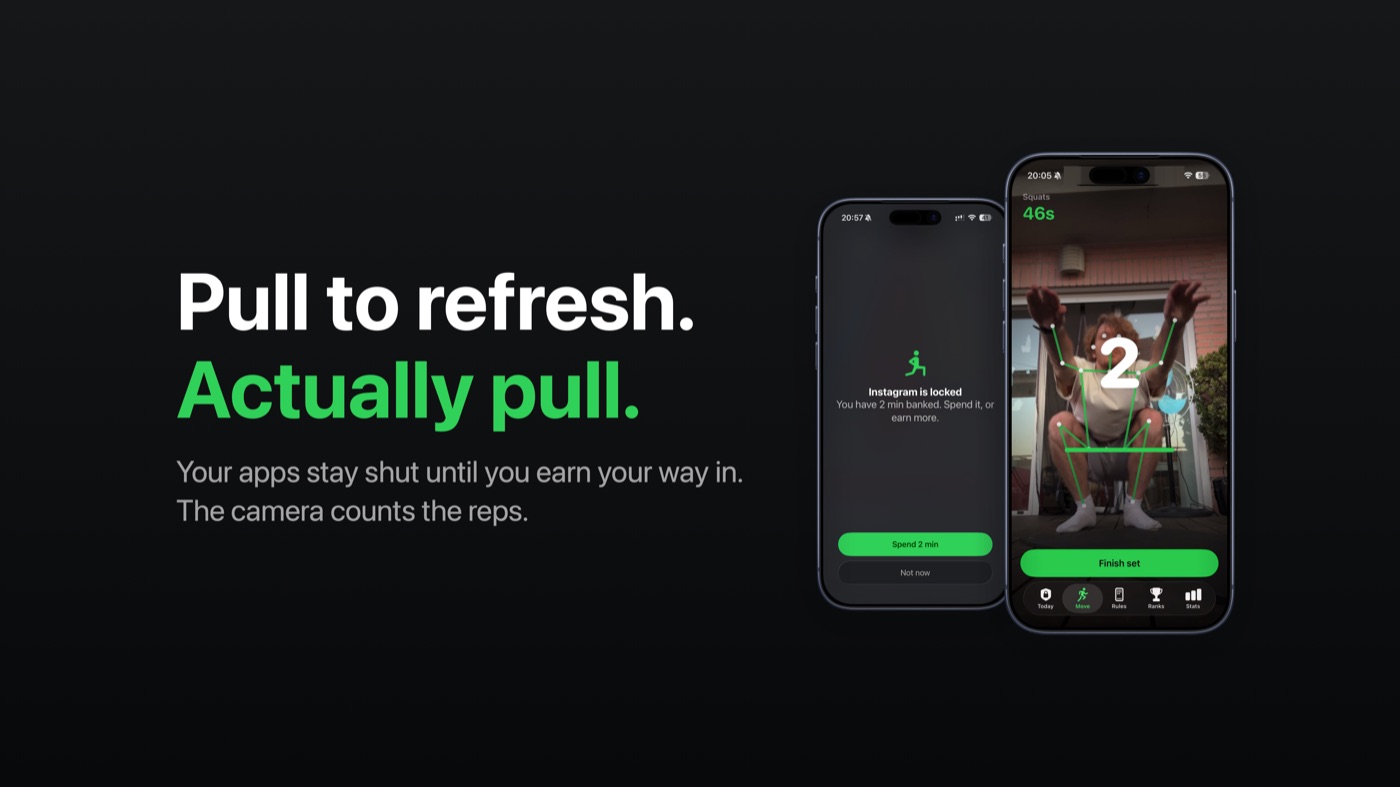
Pull to Refresh is an app blocker for iPhone that makes you exercise to get your apps back. You pick the apps you lose hours to, such as Instagram or TikTok, and give them an allowance; when it runs out they lock until you do push-ups, squats, sit-ups, pull-ups or jumping jacks in front of the camera. It's for people who have learned to tap straight past the built-in Screen Time limit, it needs iOS 17 or later, and it's free to download on the App Store.
I build it on my own. Here's how it works and where its limits are.
Why the built-in Screen Time limit is easy to ignore
iOS already has App Limits, under Settings → Screen Time. When one runs out you get an Ignore Limit button: one more minute, a reminder in 15 minutes, or the rest of the day. You can add a Screen Time passcode, but if you set it yourself, you know it.
The way past the limit costs one tap, and one tap is what the habit is made of. Pull to Refresh keeps the lock and changes the price to a set of exercise. That takes long enough to notice what you were about to do.
How Pull to Refresh works
- Choose the apps. iOS asks for Screen Time access on first launch, then you pick apps or whole categories in Apple's own picker.
- Set the allowance. Always locked, minutes per day (resets at midnight), minutes per hour, or a weekly schedule.
- Run out, and they lock. iOS puts a shield over those apps. A daily allowance warns you five minutes before it ends.
- Do a set. Tap Do the reps on the shield. On iOS 26.5 and later that opens the workout screen directly; on older versions you tap a notification.
- Spend what you earned on whichever locked app you were reaching for.
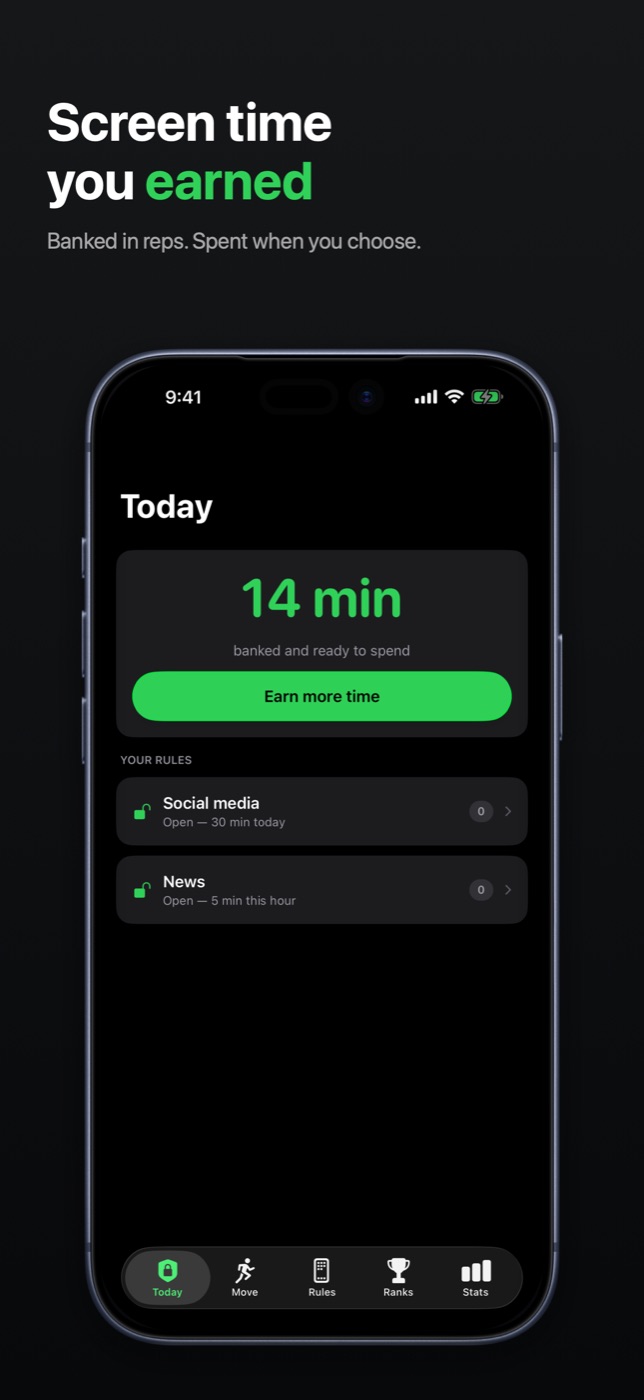
At the base rate a clean rep earns 10 seconds for a jumping jack, 20 for a squat or sit-up, 30 for a push-up and 90 for a pull-up. The smallest unlock is one minute. Lots of steps and a streak of daily sets raise the rate, capped at double. With time already banked, the shield offers Spend and the app opens on the spot.
Earned time runs only while you actually use the locked apps. Put the phone down mid-scroll and the minutes wait: at least half an hour, longer for bigger unlocks, up to 22 hours.
How the camera counts reps, and what happens to the video
Counting runs on the phone, with Apple's Vision framework. Each frame goes into body pose detection, which returns joint positions; the app decides whether a rep happened and drops the frame. No video or image is recorded, saved or uploaded. There's no account and no server, and the App Store privacy label reads "Data Not Collected".
A rep only counts on a full movement. For a push-up your elbows bend past 100° and straighten beyond 150°; for a squat your knees go past 110° and back beyond 160°; a pull-up counts when your chin clears your hands. Reps arriving too fast don't count, so shaking the phone pays nothing. When a rep doesn't count, the app says why.
For blocking, iOS hands the app opaque tokens instead of app names, so it can't tell which apps you picked or see inside them. Data leaves only through Apple: reps to Game Center and a typed name with your numbers to an iCloud leaderboard, each only after you opt in, and a copy of your history to your own iCloud.
It's still a camera, and a determined person can fool it.
Strict mode, per-hour limits and schedules
These are in Pro, which makes the lock harder, never softer:
- Strict mode. A rule you can't edit, switch off or delete on impulse. Changing it starts a 15-minute cooling-off period first.
- Minutes per hour. Five minutes an hour, say, refilled at the top of each hour.
- Schedules. Work chat shut from six until morning, or the feed locked only during work hours. Reps still buy a way in.
- Unlimited rules, each with its own limit.
Money never buys screen time here. If Pro lapses, your existing rules keep running.
Saving sets to Health
With Health switched on, each finished set is saved to the Health app as a workout, with an estimate of active energy and the rep count, so it counts toward your Move ring and shows up in Fitness. The energy is estimated from duration and body mass; no heart rate is involved.
Who it's for, and who it isn't for
It's for you if you open the same app by reflex, sit at a desk all day, or want a blocker that doesn't send your usage anywhere.
It isn't for you if:
- You're on Android or iPad. It's only for iPhone, on iOS 17 or later.
- You want to manage a child's phone. It locks the owner's own device.
- You want a lock you can't break. Deleting the app removes every lock. A Screen Time passcode set by someone else makes it stick better.
- You need it to the second. iOS reports usage in batches, so an allowance can overrun by a minute or two.
- Reps aren't possible for you. Squats want your whole body in frame, about 2 m away. An optional easy mode lets 1,000 steps buy three minutes, up to thirty a day.
It's not a training program either. If exercise is a health question for you, ask a doctor.
How to get started
- Install Pull to Refresh from the App Store.
- Grant Screen Time access when iOS asks, then notifications and, if you like, Health.
- Pick the apps and an allowance. The default is 30 minutes a day; Always locked shields them at once.
- When an app locks, tap Do the reps, pick an exercise, and allow the camera.
- Prop the phone up so it sees you, do the set, tap Finish set, and go back to the app.
Pull to Refresh is an independent app, not affiliated with Apple, Instagram or TikTok.
How it's built, for developers: Counting reps with Vision and locking apps with Screen Time.
FAQ
How can I earn screen time by exercising?
Use an app blocker that turns exercise into minutes: the apps you want to limit get an allowance, and once it's gone, a set of exercise buys more. Pull to Refresh does this on iPhone, counting reps with the camera, on the device. It's free to download on the App Store.
Is there an app that blocks Instagram or TikTok until I work out?
Yes. Pull to Refresh locks the apps you choose, Instagram and TikTok included, when your allowance runs out, and unlocks them for push-ups, squats, sit-ups, pull-ups or jumping jacks counted by the iPhone's camera.
How much screen time does one push-up earn in Pull to Refresh?
At the base rate a push-up earns 30 seconds, a squat or sit-up 20, a jumping jack 10 and a pull-up 90. Lots of steps and a streak of daily sets can raise the rate up to double. The smallest unlock is one minute.
Does Pull to Refresh record or upload video?
No. Frames go into Apple's on-device Vision framework, which returns joint positions, and each frame is discarded once Pull to Refresh has checked it for a rep. Nothing is recorded or uploaded, and there is no account.
Is Pull to Refresh hard to bypass?
Harder than the built-in limit, not impossible. In strict mode, part of Pull to Refresh Pro, a rule can't be changed until a 15-minute cooling-off period has run. Deleting the app removes every lock, so a Screen Time passcode set by someone else is what makes it stick.
Is Pull to Refresh free?
Yes. The free version covers one group of apps on a daily allowance, every exercise, Health and the leaderboards. Pro, a subscription or one-off purchase, adds strict mode, per-hour limits, schedules, unlimited rules and full history. It never buys screen time.
Does Pull to Refresh work on Android or iPad?
No. Pull to Refresh is only for iPhone, on iOS 17 or later, because it is built on Apple's Screen Time frameworks.
More writing
Aquarium water test log apps for iPhone: 8 compared
Eight iPhone apps for logging aquarium water tests compared: freshwater or reef, test strip scanning, species database, account, and what each costs.
Free parking in Madrid, Barcelona and Valencia: 7 apps compared
Most Spanish parking apps help you pay, not park free. Seven apps compared for Madrid, Barcelona and Valencia, and which one maps free street parking.
Pet health record apps for iPhone: 7 compared
Seven iPhone apps for your pet's vaccinations, vet visits and documents compared: which work without your vet joining, store your own scans, and cost.